How to Program a Cuisinart Coffee Maker
To program a Cuisinart coffee maker, set the clock, choose a future brew time, and activate Auto On. Check the display or indicator to confirm the schedule is active, then prepare the water and grounds.
On this page (9 sections)
- How do you program a Cuisinart coffee maker?
- How do you set the clock and prepare the coffee?
- Which Cuisinart models are easiest to program for a full pot?
- Is the PerfecTemp Thermal 12-Cup a better fit?
- Who should choose the Brew Central DCC-1200?
- Can the 5-Cup Cuisinart be programmed?
- What common timer mistakes should you check?
- How do you care for a programmable Cuisinart coffee maker?
- Which Cuisinart should you choose for your morning?
To program a Cuisinart coffee maker, set its clock, choose a future brew time, and activate Auto On. Check the display or indicator to confirm the schedule is active, then prepare the water and grounds.
The exact buttons vary across models, so use the manual if your controls differ. The basic sequence is the same: enter the current time, program the start time, and confirm automatic brewing is enabled.
How do you program a Cuisinart coffee maker?
Set the current time before choosing a brew time. A clock that is wrong can make an otherwise correct schedule start at the wrong hour.
- Plug in the coffee maker and set its clock to the current time.
- Add water to the reservoir and grounds to the filter basket.
- Press Program, Auto On, or the similarly labeled control to enter scheduling mode.
- Set the hour and minute for the brew to begin.
- Activate Auto On and confirm the display or indicator shows that the schedule is active.
Some displays distinguish morning from afternoon with an AM or PM indicator. Check it before saving the time, particularly if the controls cycle through hours without showing the full day.
Entering a time does not always activate the timer. Look for the confirmation light or display described in the manual.
How do you set the clock and prepare the coffee?
Match the machine clock to your local time, then prepare the carafe, filter, water, and grounds. The clock controls when brewing starts, while the water and grounds determine how much coffee the machine can make.
Look for a Clock button or controls for adjusting the hour and minute. Some models use a press-and-hold action, while others move through settings with repeated presses, so follow the sequence for your model.
Fill the reservoir using its marked water lines, seat the filter basket, and place the carafe correctly. For help measuring grounds, see how many scoops of coffee to use for 12 cups.
Prepare the grounds close to brewing time instead of leaving them damp in the basket for hours. If a power interruption resets the clock, set it again before relying on automatic brewing.
Which Cuisinart models are easiest to program for a full pot?
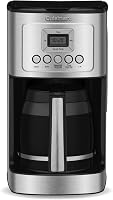
Choose a programmable model with a carafe sized for your usual batch. The DCC-3200 is the strongest fit here for households that regularly brew a full pot and want control over strength and warming.
Is the DCC-3200 right for a full-pot routine?
The Cuisinart DCC-3200 has 24-hour programmability and a 14-cup glass carafe, with capacity based on 5-ounce cups. Its 1–4 cup setting supports smaller batches, and Brew Strength lets you choose regular or bold coffee.
Choose it if several people share the coffee or you want a pot ready on a daily schedule. Skip it if your counter or routine calls for a compact, small-batch machine.
The adjustable warming plate has low, medium, and high settings, and auto shutoff can be set from 0 to 4 hours. The machine also has a self-clean cycle and a decalcify indicator, useful if you want prompts and a built-in cleaning option.
Is the PerfecTemp Thermal 12-Cup a better fit?
Pick the PerfecTemp Thermal 12-Cup if you want scheduled brewing with a thermal carafe. It offers a 12-cup capacity, a 1–4 cup setting, and regular or bold brew strength.
It also has Brew Pause, a self-clean setting, and an optional ready alert tone. Choose it if a thermal carafe fits how you serve coffee; skip it if you specifically want an adjustable warming plate, since that feature is not listed for this model.
Set the timer using the controls in this model’s manual and confirm Auto On before relying on it. Its button sequence may differ from the DCC-3200.
Who should choose the Brew Central DCC-1200?
The Brew Central DCC-1200 suits households that want a programmable 12-cup glass-carafe machine with adjustable warming. Its 24-hour programming and 1–4 cup setting cover both scheduled full pots and smaller batches.
The heater plate has low, medium, and high settings, and auto-off can be set from 0 to 4 hours. Choose this model if those controls match your routine; skip it if you want a thermal carafe or a compact footprint.
The machine includes a permanent gold-tone coffee filter and a charcoal water filter. Check the manual for the clock and timer button sequence before setting your first automatic brew.
Can the 5-Cup Cuisinart be programmed?
Choose the 5-Cup Stainless Carafe for compact, straightforward brewing, not scheduled starts. Its listed features do not include a programmable timer.
This model has a removable water reservoir, a permanent-style nylon filter, Brew Pause, and a 30-minute keep-warm feature. It suits a small batch and limited counter space, but skip it if you need coffee to start automatically before you wake.
Compare capacities and routines in our drip coffee maker guide. For upkeep after choosing a machine, see [how to clean a Mr.
Coffee maker](/how-to-clean-a-mr-coffee-maker/).
What common timer mistakes should you check?
Check the clock, saved brew time, and Auto On status first. These settings account for many missed automatic starts and are quick to verify.
- Confirm the clock shows the correct current time.
- Check that the scheduled time is set for the intended hour and AM or PM period, if shown.
- Make sure Auto On is active after you save the schedule.
- Confirm the machine has power and the carafe is in place.
- Check that the filter basket is seated and the reservoir has enough water.
- Recheck the clock and schedule after a power interruption.
The DCC-3200 has a 60-second reset that remembers settings and brewing progress during interruptions lasting up to one minute. Don’t assume another Cuisinart model has the same reset behavior; check its manual.
If the controls do not respond, use the model’s manual for reset steps. Avoid trying button combinations from a different model.
How do you care for a programmable Cuisinart coffee maker?
Follow the model’s cleaning instructions and respond to its decalcify signal. Coffee oils and mineral deposits can build up in drip machines, so regular care helps keep the brewing routine ready.
Remove used grounds and rinse the filter basket and carafe after brewing. If your model includes a reusable filter, clean it as directed instead of leaving wet grounds in it between brews.
The DCC-3200 and PerfecTemp Thermal 12-Cup include a self-clean setting and decalcify indicator. Use the manual’s instructions for the cleaning cycle and any water treatment it calls for.
Which Cuisinart should you choose for your morning?
Choose the DCC-3200 for a larger household, the Thermal 12-Cup for a thermal carafe, and the Brew Central DCC-1200 for a 12-cup glass carafe with adjustable warming. Pick the 5-Cup Stainless Carafe when a compact batch matters more than a timer.
For a programmable machine, set the clock, program the start time, and confirm Auto On before preparing the next brew. If you’re still weighing size and style, use our guide to choosing a coffee maker for home.
Frequently asked questions
How do I set the timer on my Cuisinart coffee maker?
Set the clock to the current time, then use the Program or Auto On controls to choose when brewing should begin. Button labels and steps vary by model, so follow the manual for your exact machine.
Before relying on the schedule, confirm the displayed brew time and check that Auto On is active.
Does a Cuisinart coffee maker have to be on to brew automatically?
Set the brew time and activate Auto On. The exact controls depend on the model, but you can usually confirm the schedule by checking for an Auto On indicator or a displayed start time.
Prepare the machine as its manual directs, including adding water and grounds.
Why didn't my Cuisinart coffee maker start at the set time?
Check that the clock shows the correct current time, the scheduled time is right, and Auto On is active. Also confirm the machine has power and the carafe, filter basket, water, and grounds are in place.
After a power interruption, recheck the clock and schedule because reset behavior varies by model.
Can I program a Cuisinart coffee maker to brew every day?
A programmable Cuisinart drip maker can be set for a future brew time, but daily repeat behavior varies by model. Check the manual to see whether the schedule repeats or needs to be activated again.
Keep the clock accurate, especially after a power interruption.